Scan, convert, and save your favorite recipes as delicious vegan versions with just a tap.
Your Complete Vegan Kitchen
INPUT
STYLE
RECIPE
SHOP
COOK
SHARE
Personalized for Every Lifestyle
✓Standard Vegan
✓Whole Food
✓Budget-Friendly
✓High-Protein
✓Gluten-Free
✓Soy-Free
✓Nut-Free
✓Low-Fat
✓Raw Vegan
Features
📱
Recipe Scanner (OCR)
Scan recipes from cookbooks, magazines, handwritten notes or import image
🔗
Manual & URL Import
Paste recipe URLs or type your family favorites
🌿
9 Veganization Styles
From budget-friendly to high-protein - find your perfect style
📊
Nutrition Insights
See calories, carbs, protein, fat and fibre for every recipe
📋
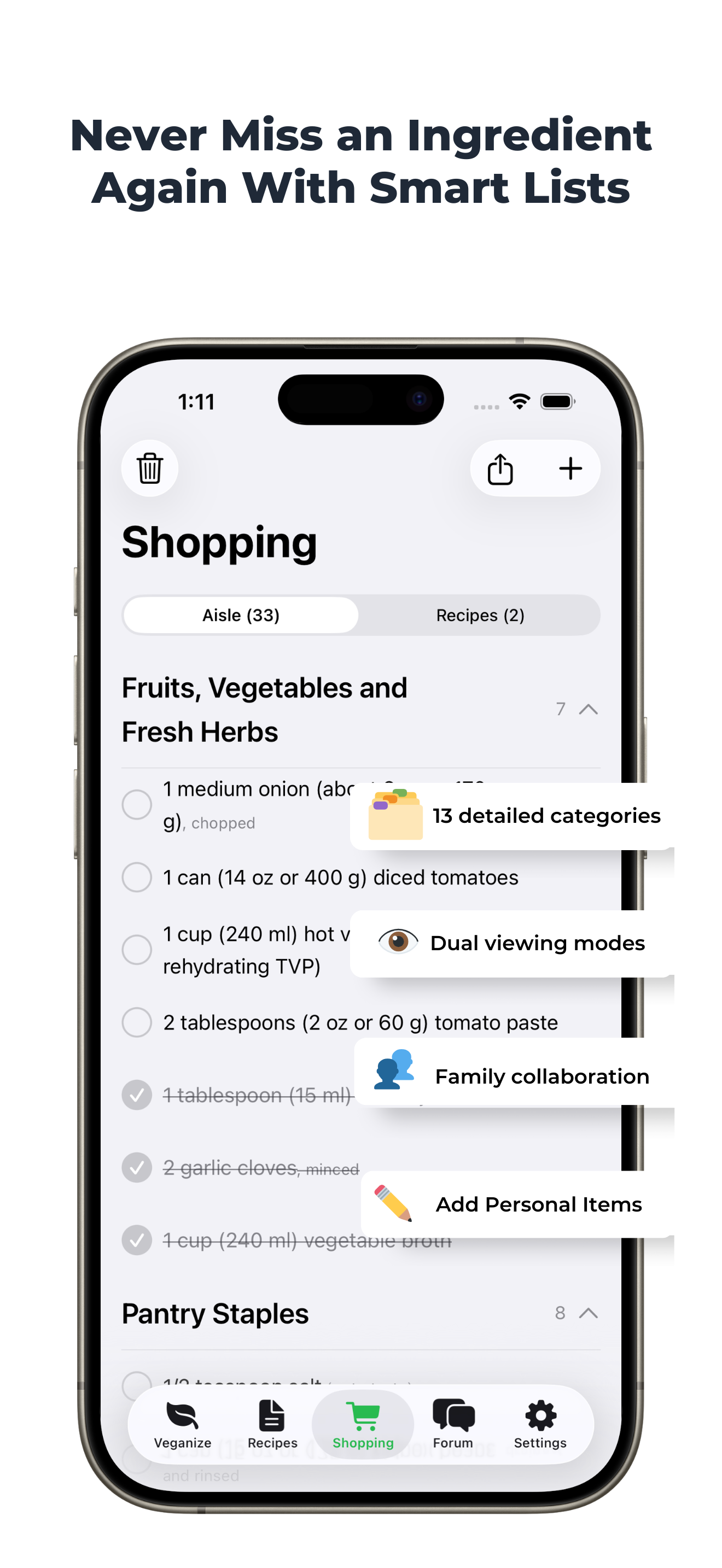
Smart Shopping Lists
Organized by store aisles automatically
📚
Your Digital Cookbook
Save unlimited recipes with smart search and category
⏱️
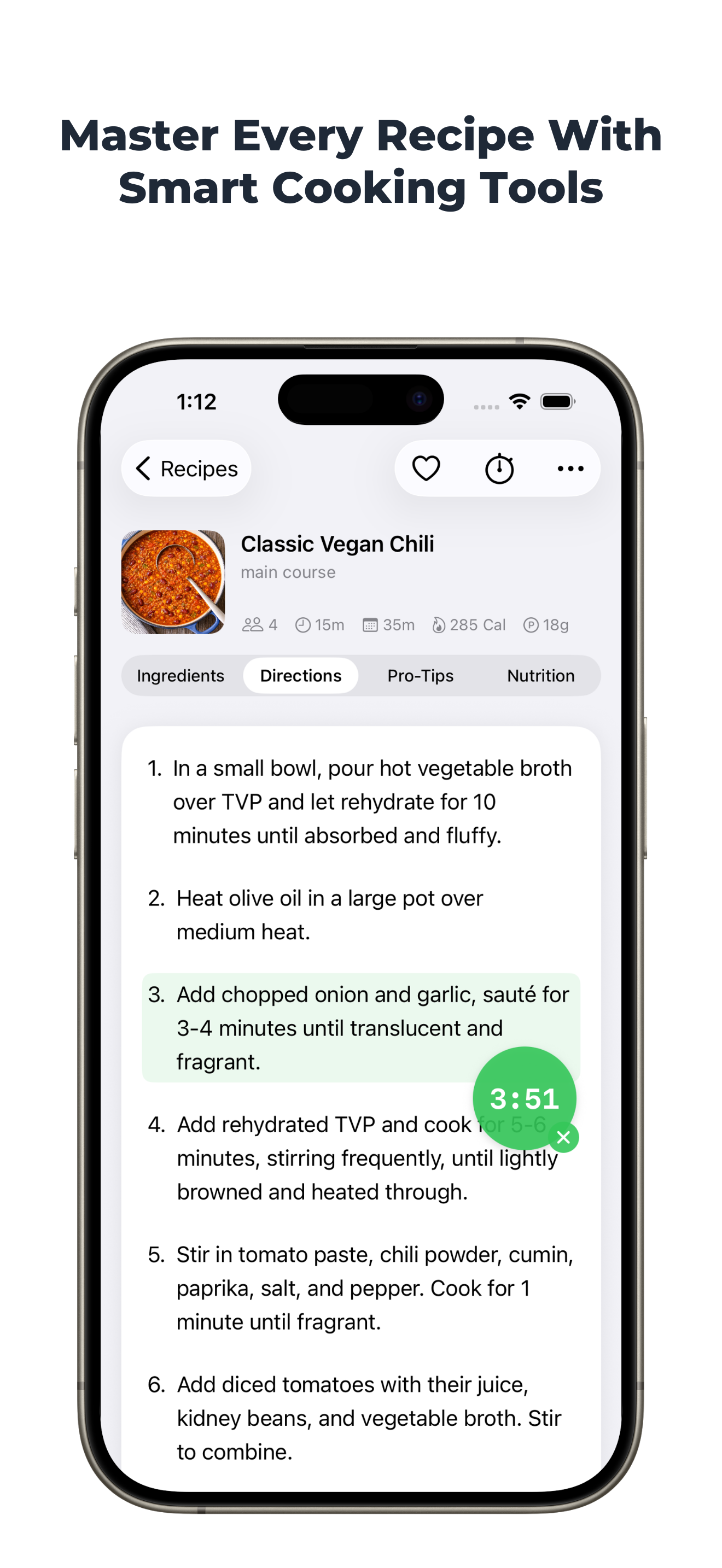
Cooking Timers
Multiple timers for flawless cooking every time
💬
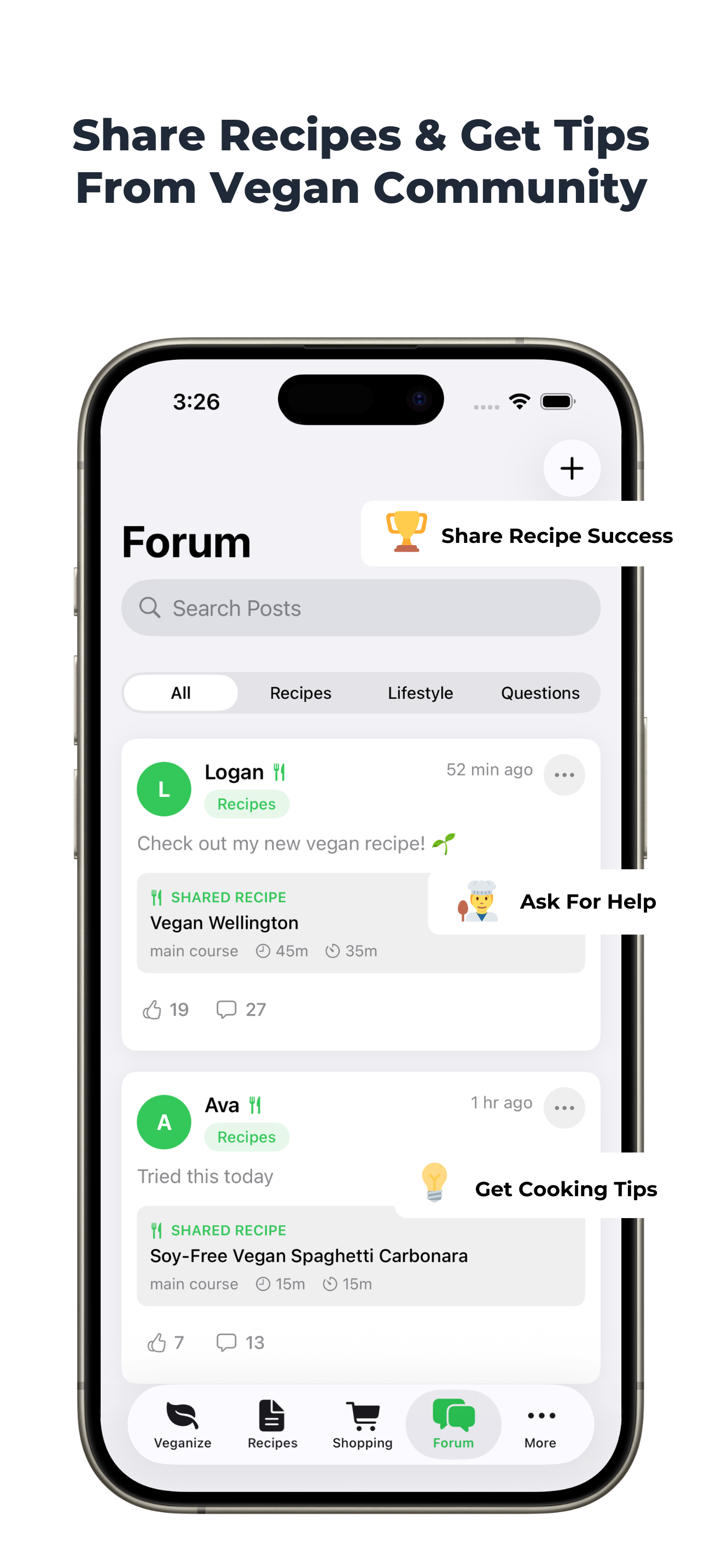
Vegan Community
Get tips, share recipes, and inspire others
☁️
Seamless Sync
Your recipes and notes sync across all devices
FAQ
Veganize Recipe transforms any recipe into a delicious plant-based version instantly. Simply input any recipe through scanning, typing, or URL import, choose your preferred vegan style, and get smart ingredient substitutions that maintain the taste and texture of the original dish.
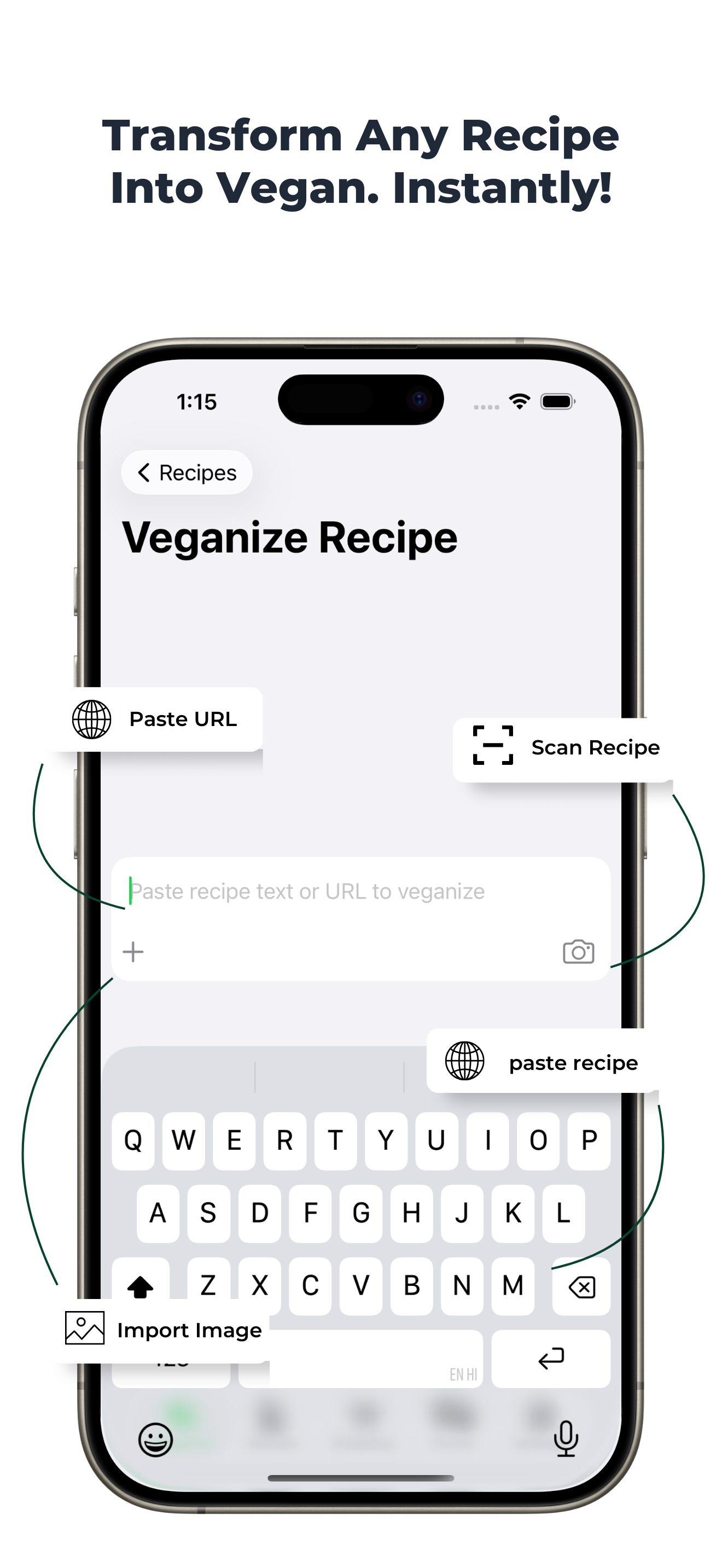
You have four easy ways to add recipes: (1) Use the camera scanner to capture printed recipes, (2) Type or paste recipe text directly, (3) Import from any recipe website using the URL, or (4) Select a photo of a recipe from your gallery. Just tap the input field on the home screen to get started.
You can convert virtually any recipe - from simple home cooking to complex gourmet dishes. The app works with baking recipes, international cuisines, desserts, main courses, appetizers, and more. If it has non-vegan ingredients, we can transform it.
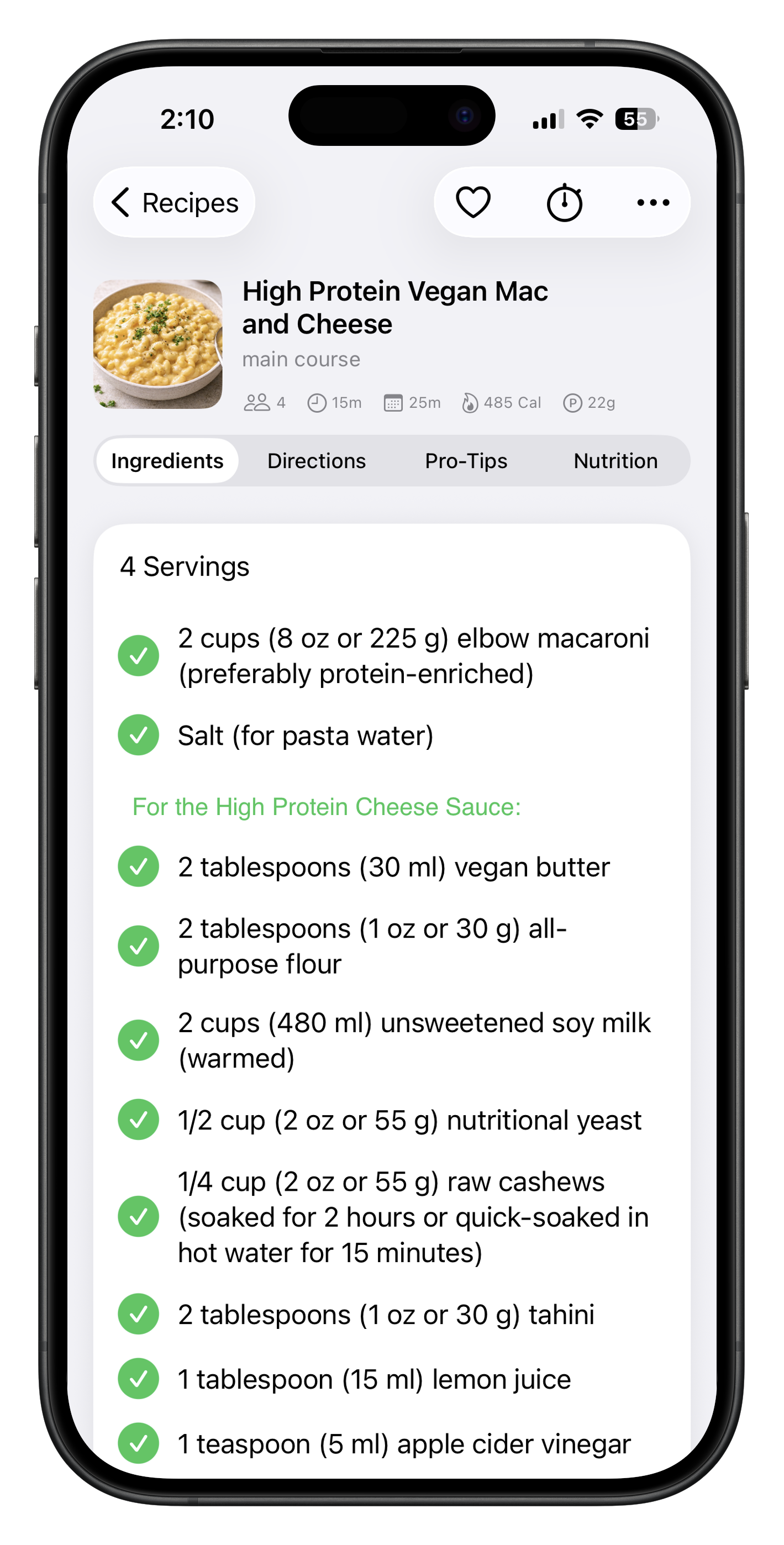
Yes, the app provides nutritional information including calories, protein, carbohydrates, fat, and fiber for veganized recipes. When selecting your vegan style, you can choose options like nut-free, soy-free, or gluten-free to accommodate various dietary restrictions and allergies. After conversion, you can track the complete nutritional breakdown of your veganized recipe.
Absolutely! You can edit any converted recipe to suit your preferences. Change ingredients, adjust quantities, modify instructions, or try a different vegan style. Your customizations are saved with the recipe for future use.
Currently, Veganize Recipe is available in English only. We're working on adding support for additional languages in future updates to serve our global community better.
Yes, an internet connection is required for recipe conversion as it uses advanced technology to analyze and transform recipes.
Our scanner uses optical character recognition (OCR) to read printed text. Simply point your camera at a recipe, ensure good lighting and focus, and the app captures the text automatically. You can review and edit the scanned content before conversion.
Yes! Copy any recipe URL and paste it into the input field. The app automatically extracts the recipe content from most popular cooking websites and blogs, saving you time from manual typing.
Our scanner uses optical character recognition (OCR) to read printed text. Simply point your camera at a recipe, ensure good lighting and focus, and the app captures the text automatically. You can review and edit the scanned content before conversion.
You can convert virtually any recipe - from simple home cooking to complex gourmet dishes. The app works with baking recipes, international cuisines, desserts, main courses, appetizers, and more. If it has non-vegan ingredients, we can transform it.
Yes, you can type recipes directly into the input field on the home screen. This is perfect for entering family recipes, creating new ones from scratch, or when you prefer typing over scanning. You can also edit any imported or scanned content to ensure accuracy before conversion.
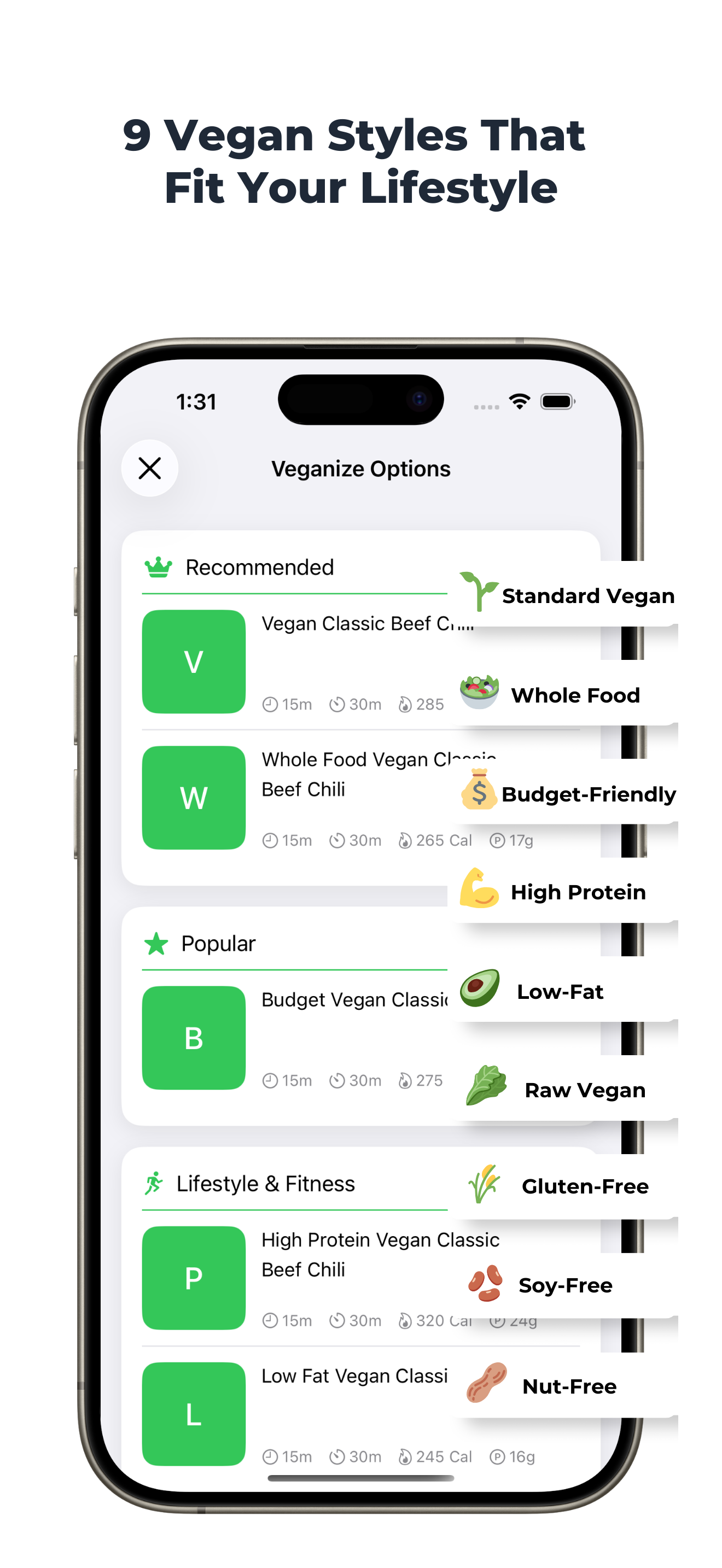
Choose from 9 specialized styles: Standard Vegan, Whole Food Plant-Based, Budget-Friendly, High-Protein, Gluten-Free, Soy-Free, Nut-Free, Low-Fat, and Raw Vegan. Each style tailors substitutions to match specific dietary preferences and needs.
Our substitutions are carefully selected based on cooking science, considering texture, flavor, and function of each ingredient. The app understands baking chemistry, protein structures, and flavor profiles to suggest the most appropriate plant-based alternatives.
You can convert virtually any recipe - from simple home cooking to complex gourmet dishes. The app works with baking recipes, international cuisines, desserts, main courses, appetizers, and more. If it has non-vegan ingredients, we can transform it.
Yes! While the app provides intelligent suggestions, you have full control to modify any substitution. Edit ingredients directly in the recipe before saving to make it perfect for your taste. You can also edit your saved recipes anytime in the future whenever you want to try new variations.
You have four easy ways to add recipes: (1) Use the camera scanner to capture printed recipes, (2) Type or paste recipe text directly, (3) Import from any recipe website using the URL, or (4) Select a photo of a recipe from your gallery. Just tap the input field on the home screen to get started.
You can easily change any substitution by editing the recipe. Try converting with a different vegan style for alternative suggestions, or manually replace any ingredient with your preferred option.
You can convert virtually any recipe - from simple home cooking to complex gourmet dishes. The app works with baking recipes, international cuisines, desserts, main courses, appetizers, and more. If it has non-vegan ingredients, we can transform it.
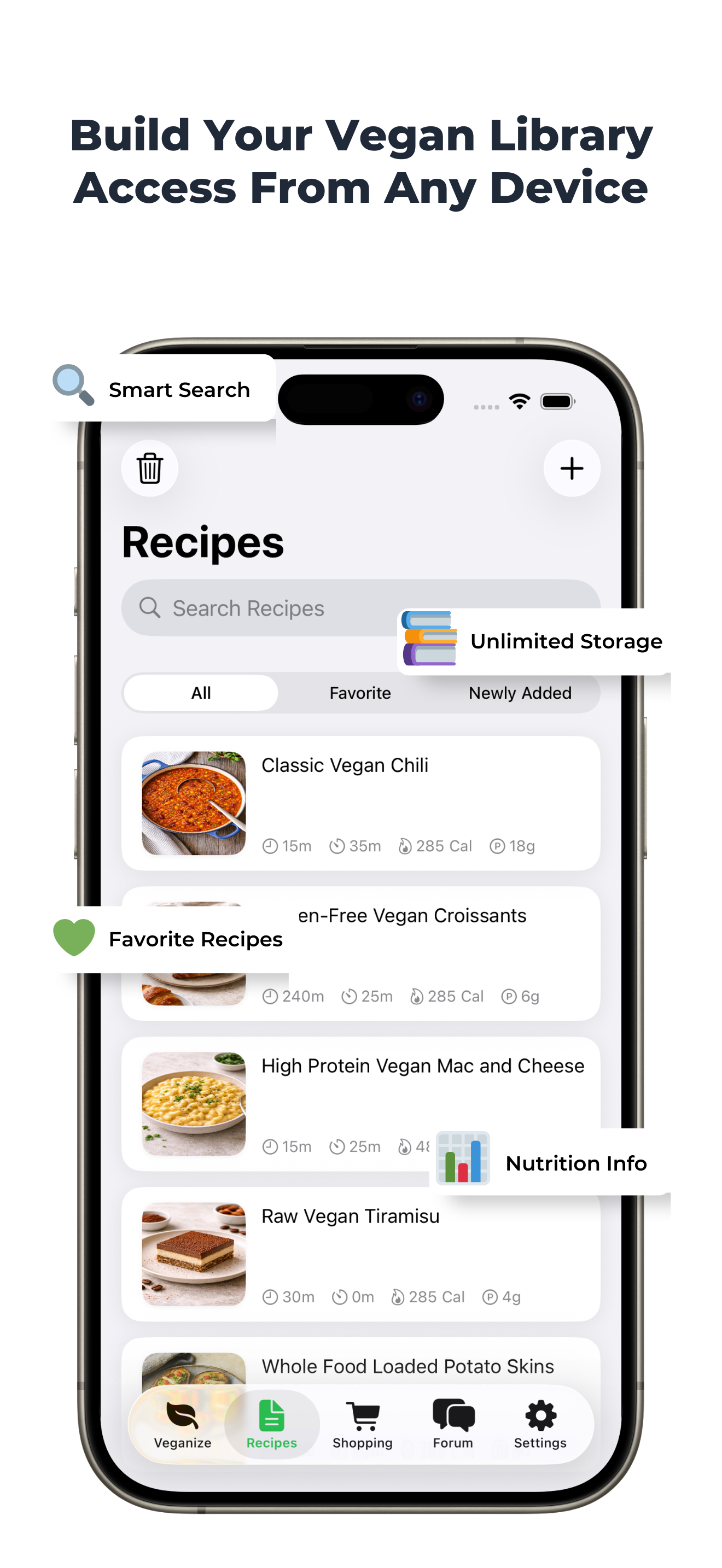
You can save unlimited recipes in your digital cookbook. Build an extensive collection of your favorite veganized dishes without any storage limits.
Yes! Organize recipes into categories like Main Course, Dessert, Breakfast, and more. You can also search and filter your collection for easy access to any recipe.
Convert any saved recipe into a shopping list with one tap. Items are automatically organized by store aisles, quantities adjust based on serving size, and you can check off items as you shop.
Yes, you can share your shopping lists via email, messages, or any sharing app on your device. Family members receive a formatted list they can use while shopping.
Built-in timers help you cook perfectly every time. Set multiple timers for different cooking steps, receive notifications when time's up, and keep track of cooking progress without leaving the app.
Absolutely! Personalize your recipes by adding photos of your finished dishes. Take a new photo or choose from your gallery to showcase your culinary creations.
Yes, creating a free account enables cloud sync, protects your recipes, and allows access across all your devices. Sign up with email or use Apple Sign In for quick access.
Yes! Your recipes automatically sync across all devices logged into the same account. Start on your iPhone and continue on your iPad seamlessly.
Simply sign in to your account on your new device and all your recipes, categories, and preferences will be there waiting for you. Nothing is lost when switching devices.
Your recipes are automatically backed up to the cloud. You can also share individual recipes via email or messages, which creates a readable copy you can save elsewhere.
Yes, your data is stored securely. We never share your personal information with third parties.
The forum is a space to share your veganized recipes, discover creations from other users, ask questions, and exchange cooking tips. Browse by category, search for specific dishes, and engage with fellow plant-based cooks.
Yes! Share recipes directly to the community forum or privately through messages and email. Choose whether to share publicly or keep your recipes private
Veganize Recipe supports all iOS devices running iOS 15 or later, including iPhone, iPad, and iPod Touch. The app is optimized for all screen sizes.
We're currently focused on delivering the best possible experience for iOS users. Android support may be considered in the future based on demand.
Go to Settings > Contact Support to report any issues. Please include details about what happened and your device information to help us fix problems quickly.
Try selecting a different vegan style or edit the recipe manually. If issues persist, use the feedback option to let us know - this helps improve future conversions.
Nutrition data is calculated from the ingredients list. Ensure your recipe includes specific quantities (cups, grams, etc.) for accurate nutritional analysis.
nsure you have the latest version installed. Report persistent issues through Settings > Contact Support
Reach us at [email protected] or through Settings > Contact Support in the app. We typically respond within 24-48 hours and are happy to help with any questions.